
Retrieve the correct data file.
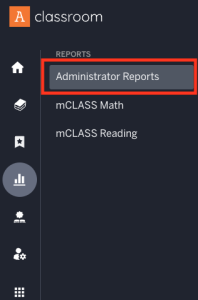
Go to your my.amplify.com site and click Administrator Reports.
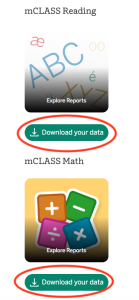
Choose Reading or Math and Download your data.
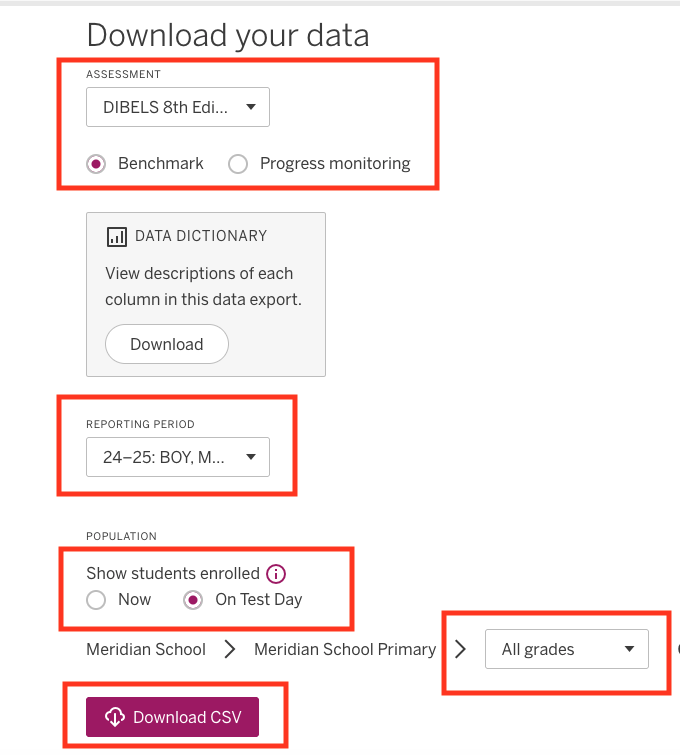
Choose the correct Assessment.
Choose the correct year and testing window(s); i.e. Reporting Period.
Choose Students.
Choose Grade Levels needed.
Download as a CSV file.
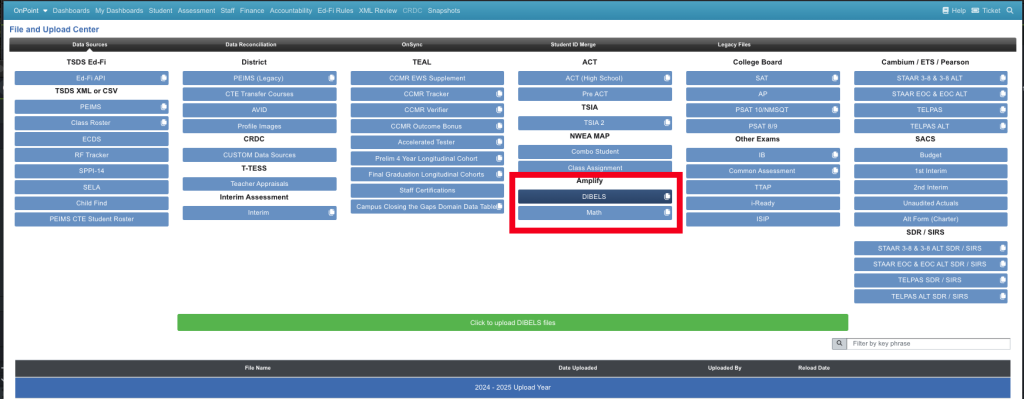
Go to the File Center > Data Sources > Amplify > Dibels to upload your Dibels 8th Ed. Diagnostic Assessment
Go to the File Center > Data Sources > Amplify > Math to upload your Math Diagnostic Assessment
Updated on 07/15/2025